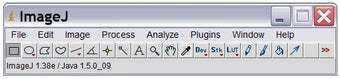
Icon of program: ImageJ

ImageJ for Windows

  • Free
  • 4.1
    844
  • 695.9K
  • V1.54k
Free Download for Windows

View an ad to download for free

Dinkar Kamat

Updated 2 days ago

A free scriptable Java app for scientific image processing

ImageJ is a scriptable Java-based image processing application for scientific analysis that can be installed free of charge on compatible computers. It allows users to display, edit, analyze, process, save, and print 8-bit, 16-bit, and 32-bit images for research and general digital work. 

Top Recommended Alternative

Notably, ImageJ supports common image file formats including TIFF, GIF, JPEG, BMP, PGM, DICOM, ASCII, FITS, and raw text-based data files. ImageJ serves as an alternative to other photography analysis tools such as Meesoft’s Image Analyzer and JPEGsnoop, offering flexibility for scientific and technical image processing tasks. 

What is ImageJ used for? 

ImageJ's main purpose is to calculate area and pixel values useful for graphic analysis. It also allows users to measure distances and angles, create density histograms, and generate line profile plots. Standard image processing functions include contrast manipulation, sharpening, smoothing, edge detection, and median filtering. Geometric transformations such as scaling, rotation, and flips are also available within this digital image utility. 

Also, its color processing feature is versatile, enabling a range of color-based analyses and modifications. It supports color spaces such as RGB, HSB, and CIE Lab, allowing precise handling depending on analysis needs. The software enables color separation so images can be split into individual channels, which may be modified separately to enhance or analyze specific visual components in scientific imaging workflows. 

The software handles image stacks, which are multithreaded series of images sharing a single window, enabling efficient processing on multi-CPU systems. Users can automate tasks and create custom tools through macros, using a command recorder to generate macro code. A macro debugger helps refine scripts. The environment supports extensibility through plugins, allowing advanced image processing workflows. However, for life sciences field, Fiji might offer better features. 

A must-try image analyzer 

ImageJ remains a lightweight and capable image analysis tool that loads quickly and is relatively easy for non-programmers to use. It supports compiling and running plugins without complex code management. However, for users needing more advanced workflows, especially in life sciences, Fiji may be preferable due to its broader plugin ecosystem and integrated tools for multidimensional image processing and research applications. 

Dinkar Kamat

Dinkar has more than 10 years of experience in content creation, including technical articles, travel writing, and product strategy. His expertise spans SEO, digital marketing, and structured editorial work. He focuses on producing content that is both accurate and accessible for diverse audiences.

  • Pros

    • Loads and runs much faster
    • Measures pixels, draws histograms and more
    • Contains hundreds of plugins and macros
  • Cons

    • Fiji is a better solution for users in life sciences field
 0/1

App specs

Also available in other platforms

Program available in other languages


Icon of program: ImageJ

ImageJ for PC

  • Free
  • 4.1
    844
  • 695.9K
  • V1.54k
Free Download for PC

View an ad to download for free


User reviews about ImageJ

4.1

1 reviews

Add review

Main reviews for you

  • Anonymous user

    A great image processing software. awesome. old fellows don't understand how it works. not user friendly. however, if you have a good teacher and install the necessary plugins, you are unbeatable. you will love it for the job it does for you Pros: ability to process stacks and timecourse datathe wide variety of plugins Cons: sometimes i selected an ROI in one slice and then save the file as TIFF, when i open the file later, the selection stay as a part of the image. i jsut can't get rid of that. makes it unusable for later use in creating presentationsi wish there was a tool that would allow me to create a macro without having the knowledge of java. it wouldn't be that hard to make. as example, i need to create a macro that will do some functions sequentially. like i have opened a timecourse. there is drift along x and y axes. the background fluorescence increases with time. so i need to move each slice a certain distance along the axes, calculate the background intensity, deduct each slice's background from the field average and plot a z-axis profile of the timecourse for the selected region. one click, to start the whole sequence. the tool may allow me to add 10 or 20 functions of my choice from the menu and customize the values for each. i will add the functions to this empty fields one by one

More

You may also like

Alternatives to ImageJ

Explore Apps

Latest articles

Laws concerning the use of this software vary from country to country. We do not encourage or condone the use of this program if it is in violation of these laws.
Softonic

Is ImageJ safe?

100/100

Score result: Clean

This file passed a comprehensive security scan using VirusTotal technology. It is safe to download.

  • Virus free
  • Spyware free
  • Malware free
  • Verified by Security Partners

    VirusTotal logo

Scan Info

Last scan
Thursday, October 31, 2024
Scan provider
VirusTotal · Full report

File Integrity

File
ij154-win-java8.zip
SHA256
32b05356d3a7906e10ca91491c2be06bfe0397c9e7a3d3b52fdad9e3ef48276c
SHA1
4ca4bafcdd6f2e0ab00795eb6a53c440ed9a83bc

Softonic security commitment

ImageJ has been thoroughly scanned by our advanced security systems and verified by industry-leading partners. This file comes from the official developer and has passed all our security checks, showing no signs of viruses, malware, or spyware. For more information, visit our Security and Trust Center